

A thermal printer camera is a device that captures photos and instantly prints them on heat-sensitive paper without using ink. The industry term for the underlying technology is direct thermal printing, and it is the same mechanism found in receipt printers and shipping label machines. For parents and gift-givers, this combination of digital camera and compact thermal printer offers something genuinely exciting: a child holds a camera, presses a button, and a physical print slides out within seconds. Models like the CHUZHAO S9 and LETSHAHA have made this format popular for children, and the Groov-e printer range has brought similar instant-print experiences to younger audiences in the UK.
How does a thermal printer camera work?
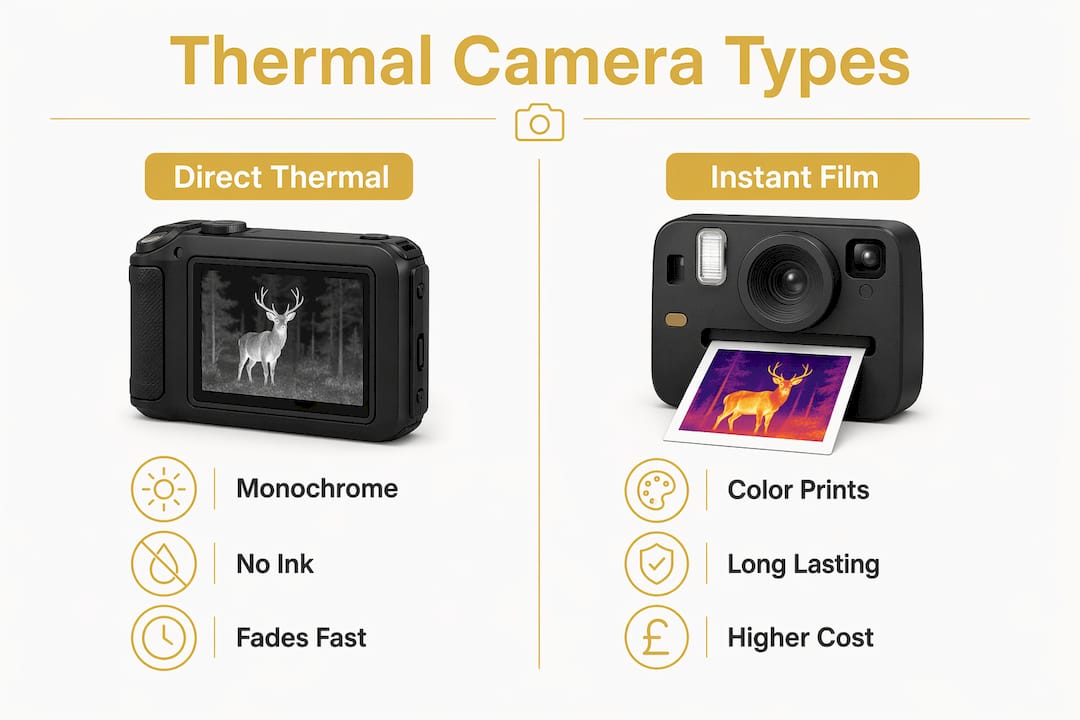
Direct thermal printing works by applying heat to a chemically coated, heat-sensitive paper. The coating darkens wherever heat is applied, producing a monochrome black and white image with no ink, toner, or ribbon required. That is what makes these devices so practical for children: there are no cartridges to replace and no mess to manage.
The printing process on most consumer models takes around 12 to 15 seconds per photo. That is fast enough to feel instant to a child, but slow enough that they can watch the image appear, which adds to the excitement. The CHUZHAO S9, for example, cites approximately 12 seconds per print.
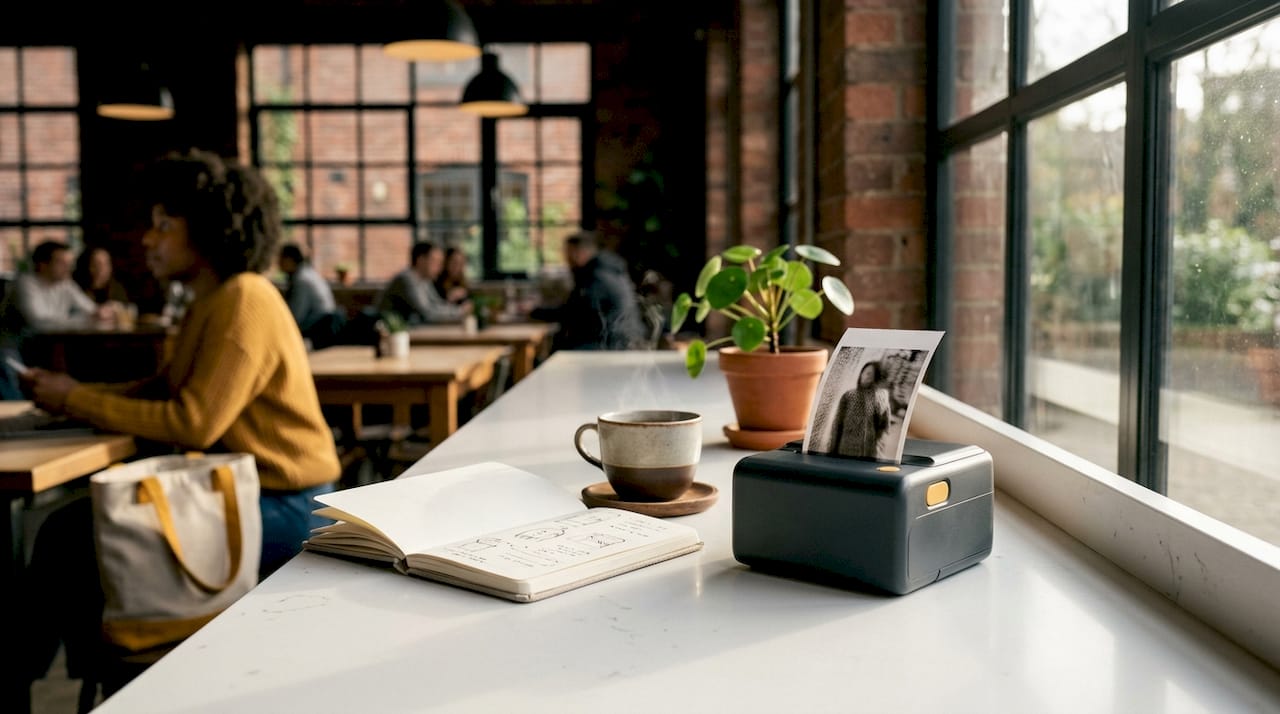
One detail parents should know upfront: thermal printing requires specialised heat-sensitive paper and will not work on regular paper. Ongoing paper rolls are a running cost, similar to buying film for an analogue camera. The rolls are inexpensive, but they are a recurring purchase.
Pro Tip: Look for thermal paper rolls labelled BPA-free or phenol-free. Modern thermal papers use safer chemical coatings that reduce exposure to BPA and BPS, which is particularly relevant when children are handling prints regularly.
Print longevity is the one genuine weakness of direct thermal printing. Standard thermal media can fade in under five years, while premium thermal papers can last up to 25 years under ideal conditions. The difference lies almost entirely in the paper grade, not the printer hardware.
What are the benefits and limitations for children?
Thermal printer cameras offer a set of practical advantages that make them well suited to children’s use:
- No ink or toner. There are no cartridges to buy, no nozzles to clean, and no risk of ink stains on furniture or clothing.
- Lightweight and simple. Most models are compact enough for small hands, with straightforward controls that children aged six and above can manage independently.
- Instant gratification. The physical print appears within seconds, which holds a child’s attention far better than viewing images on a screen.
- Low running cost. Thermal paper rolls are affordable and widely available online.
- Safe for supervised use. With BPA-free paper options, the safety profile is acceptable for children when adults select appropriate consumables.
The limitations are equally worth understanding before you buy:
- Black and white output only. Colour JPEG files are often saved digitally on the device, but the physical print is always monochrome. Children expecting colour photos will need that expectation managed.
- Lower resolution and high contrast. Fine details disappear in highlights and shadows. Thermal prints work best with bold contrasts such as a face in bright light or a clear silhouette.
- Prints fade over time. Exposure to heat, sunlight, and humidity accelerates fading. These are playful keepsakes, not archival photographs.
- Paper is a recurring cost. Unlike a digital camera, every print consumes a physical resource.
The honest framing for parents is this: a thermal printer camera is a creative, lo-fi instant print tool. It is not a replacement for a proper photo printer or a traditional camera.
How to choose and use a thermal printer camera for kids
Choosing the right model involves a few practical considerations beyond price.
- Check the paper size and roll capacity. Most children’s thermal cameras print on small rolls, typically 57mm wide. Larger paper means more detail, but also a bulkier device. Decide what suits your child’s age and hand size.
- Confirm BPA-free paper compatibility. Not all thermal paper is equal. Before buying, check that the manufacturer lists compatible BPA-free or phenol-free paper rolls. This is a non-negotiable for younger children.
- Assess print speed. A 12 to 15 second print time is standard. Anything significantly slower will frustrate younger children.
- Look at ease of use. Buttons should be large and clearly labelled. A dedicated print button, separate from the shutter, reduces confusion.
- Consider storage and durability. Children drop things. A rubberised casing or reinforced corners extends the life of the device considerably.
For the best print results, teach children to shoot with strong contrast and simple shapes. A pet against a plain wall, a face in window light, or a bold shadow on a pavement all produce far more satisfying prints than a busy, colourful scene.
Pro Tip: Store finished prints in a small envelope or photo box away from direct sunlight and heat. Avoiding heat and sunlight significantly slows the fading process and keeps prints looking clear for longer.
Children can also decorate their monochrome prints with coloured pens or washi tape, turning each print into a small piece of mixed-media art. This extends the creative activity well beyond the moment of printing.
Comparing popular thermal printer cameras for children
The table below compares key features across models and formats relevant to parents and gift-givers.
| Feature | CHUZHAO S9 | LETSHAHA | Groov-e printer |
|---|---|---|---|
| Print technology | Direct thermal | Direct thermal | Direct thermal |
| Print time | ~12 seconds | ~12–15 seconds | ~15 seconds |
| Output colour | Monochrome | Monochrome | Monochrome |
| Paper type | Thermal roll (57mm) | Thermal roll | Thermal roll |
| BPA-free paper option | Yes | Yes | Yes |
| Colour digital save | Yes (JPEG) | Yes (JPEG) | Not publicly listed |
| Child-friendly design | Yes | Yes | Yes |
| Instant film alternative | No | No | No |
Instant film cameras such as the Fujifilm Instax Mini produce colour prints with higher resolution and better longevity. However, instant film costs considerably more per print than thermal paper rolls, and the cameras themselves are typically more expensive. For a younger child who will print frequently and casually, a thermal camera printing device is the more practical choice. For an older child who values print quality, instant film may be worth the extra cost.
The kids’ camera gift guide from Thezoofamily covers a wider range of options across both formats, which is useful if you are still deciding between them.
Creative ideas to get the most from a thermal printer camera
A portable thermal printer camera becomes far more engaging when children have a clear creative purpose. These activities work well across a range of ages:
- Photo journals. Children photograph their day, print the highlights, and stick them into a notebook with handwritten captions. This builds both literacy and visual storytelling skills.
- Nature collections. Encourage children to photograph leaves, insects, or garden details. The high-contrast thermal print style suits natural textures particularly well.
- Storytelling strips. Print a sequence of images in order to create a simple comic strip or narrative. Children can add speech bubbles with a pen.
- Greeting cards. A thermal print glued to folded card stock makes a personal, handmade gift that grandparents and relatives genuinely appreciate.
- Scrapbooking. Combine prints with stickers, washi tape, and drawings for a tactile creative project that develops fine motor skills.
- Contrast experiments. Challenge older children to deliberately shoot scenes with maximum contrast, then compare the prints. This is an informal introduction to photographic composition.
The cameras suitable for preschoolers guide from Thezoofamily offers further ideas for adapting photography activities to younger age groups, including safety considerations for children under five.
Key takeaways
A thermal printer camera is best understood as a creative instant-print tool for children, not a precision photography device. Its value lies in the physical, tactile experience of holding a print moments after taking a photo.
| Point | Details |
|---|---|
| Technology basics | Direct thermal printing uses heat, not ink, to produce monochrome prints on coated paper. |
| Print speed | Most models print in 12–15 seconds, which feels instant and engaging for children. |
| Paper safety | Choose BPA-free or phenol-free thermal paper rolls to reduce chemical exposure for children. |
| Print longevity | Store prints away from heat and sunlight to slow fading and extend image clarity. |
| Creative potential | Photo journals, nature collections, and storytelling strips maximise the educational and creative value. |
What I have learned from watching children use these cameras
Parents often ask me whether a thermal printer camera is worth buying, and my honest answer is: it depends entirely on what you expect from it. The first time a child watches a print slide out of the camera, the reaction is almost always delight. That moment of physical output, something you can hold and stick on a wall, is genuinely different from scrolling through photos on a screen.
Where I see parents go wrong is in expecting photographic quality. The prints are grainy, high-contrast, and black and white. If you frame the gift as a creative toy rather than a camera, children embrace it completely. If you frame it as a proper camera, they notice the limitations quickly.
The print longevity issue is real but manageable. I have seen prints fade badly when children leave them on a sunny windowsill for a few weeks. A simple photo box or envelope solves the problem almost entirely. The effort is minimal and the results are worth it.
The detail I find most underrated is the composition lesson built into the format. Because thermal prints only work well with strong contrast and simple shapes, children naturally start to think about what they are photographing. That is a genuine photographic skill, taught through play rather than instruction.
— ALAIN
Thezoofamily’s range of creative kids’ cameras
Thezoofamily designs cameras and photography accessories with children and the natural world in mind. Every camera sold plants one tree, so the creative activity connects directly to environmental care.
If you are looking for a camera that combines instant printing, child-safe materials, and a design that sparks curiosity about nature, the Thezoofamily camera range is worth exploring. The full selection covers options for different ages and budgets, from compact thermal photo printers to rugged outdoor cameras built for young adventurers. For a detailed breakdown of thermal camera options and print quality comparisons, the thermal camera comparison on the Thezoofamily blog is a practical starting point.
FAQ
What is a thermal printer camera?
A thermal printer camera is a device that combines a digital camera with a built-in direct thermal printer. It produces instant monochrome prints on heat-sensitive paper without using ink or toner.
Are thermal prints safe for children to handle?
Modern thermal papers with BPA-free or phenol-free coatings are considered safe for children. Always check that the paper rolls listed for your model carry a BPA-free label before purchasing.
How long do thermal prints last?
Standard thermal prints can fade in under five years, while premium thermal paper can last up to 25 years under ideal conditions. Keeping prints away from heat, sunlight, and humidity significantly extends their lifespan.
Can a thermal printer camera print in colour?
No. The physical print is always monochrome. Many models save a colour JPEG image digitally on the device, but the thermal print output remains black and white due to the nature of the printing technology.
What paper do thermal printer cameras use?
Thermal printer cameras require specialised heat-sensitive paper rolls, typically 57mm wide for most children’s models. Standard paper will not work, and compatible rolls must be purchased separately as a running cost.